

On September 22, 2026, NZXT launches the new S5 RGB, an entry-level ATX mid-tower designed to bring the brand’s panoramic styling and RGB lighting to a much more accessible price point.
NZXT provided the review sample used for this article. I have had the case for several weeks, taken it apart, installed different components and completed a full build inside it. The product was supplied by the brand, but every observation and conclusion in this review is my own.
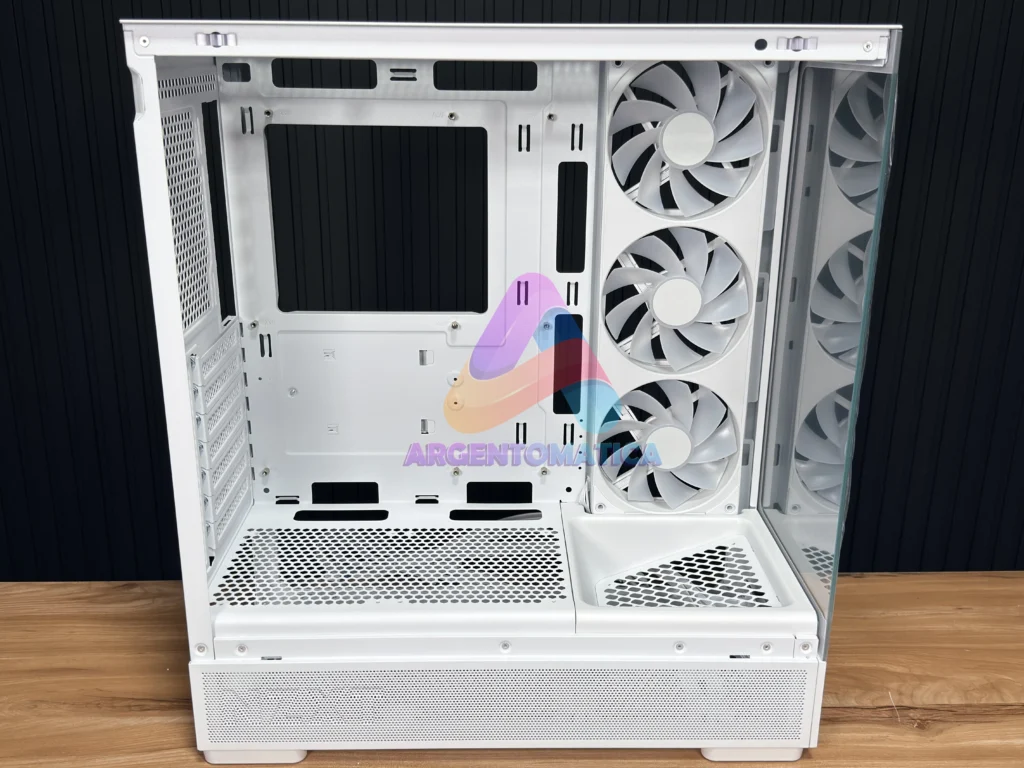
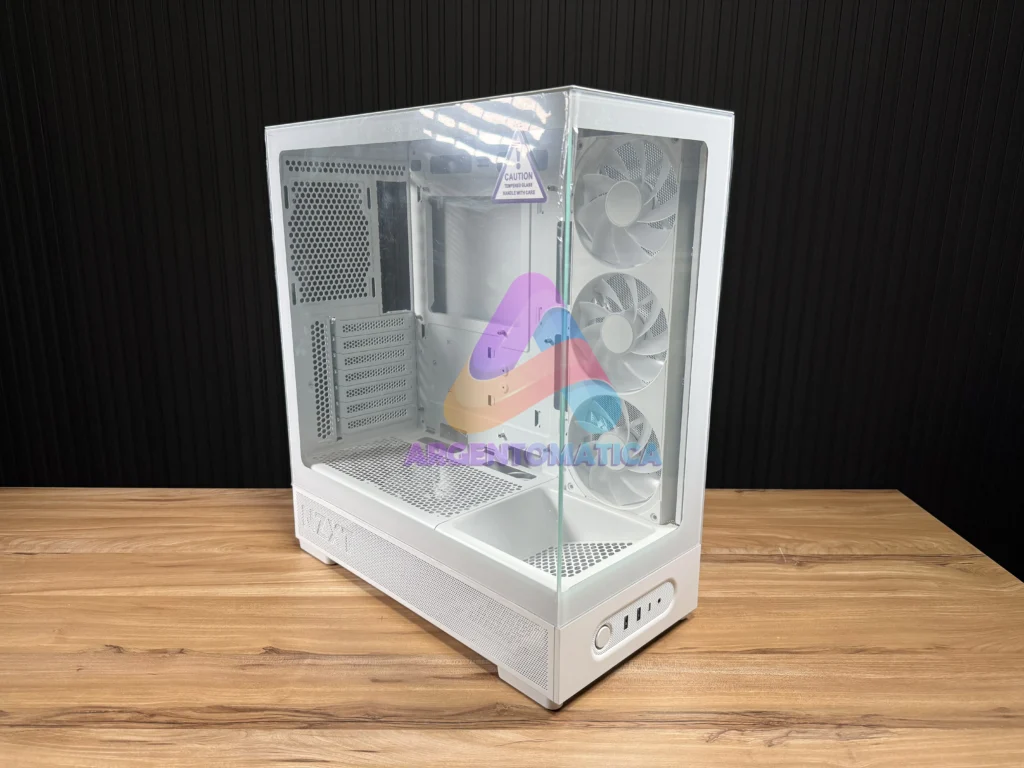
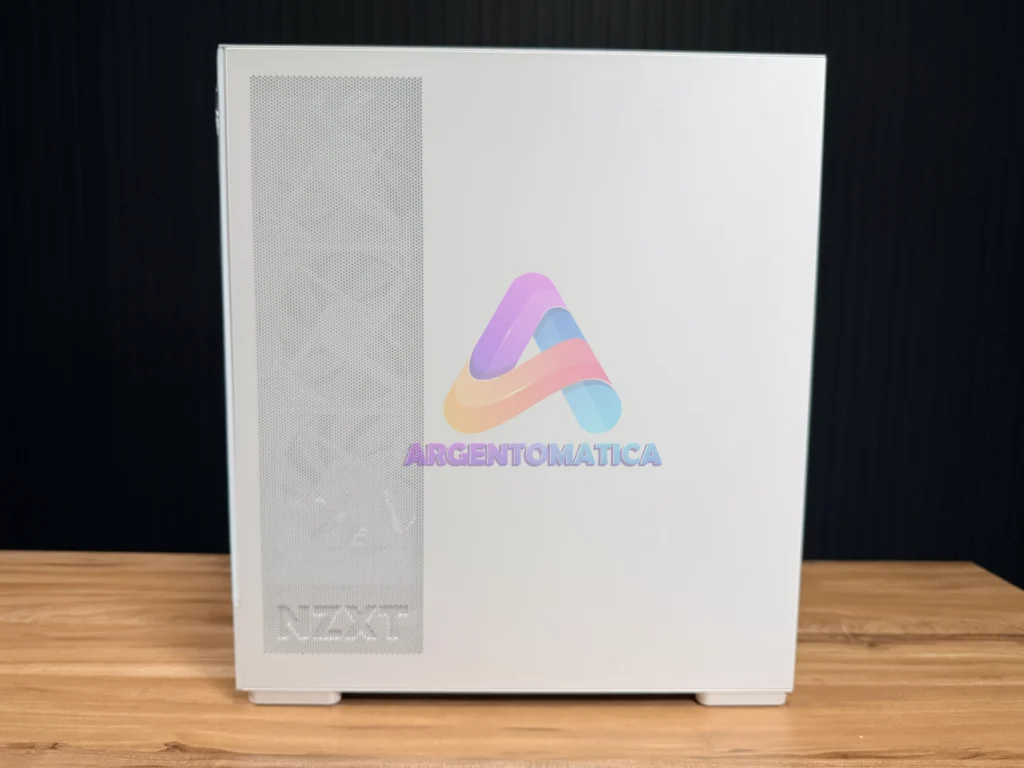
The main question is simple: has NZXT managed to build an affordable PC case without giving up too much in construction quality, hardware support and overall usability?
Quick specifications
| Form factor | ATX mid-tower |
| Dimensions | 482 × 210 × 423 mm |
| Volume and weight | 42.8 litres · 6.14 kg |
| Motherboards | ATX, Micro-ATX and Mini-ITX |
| GPU clearance | Up to 415 mm |
| CPU air cooler | Up to 162 mm |
| Power supply | ATX, up to 200 mm |
| Colours | White and black |
| Warranty | 2 years |
What comes in the box?
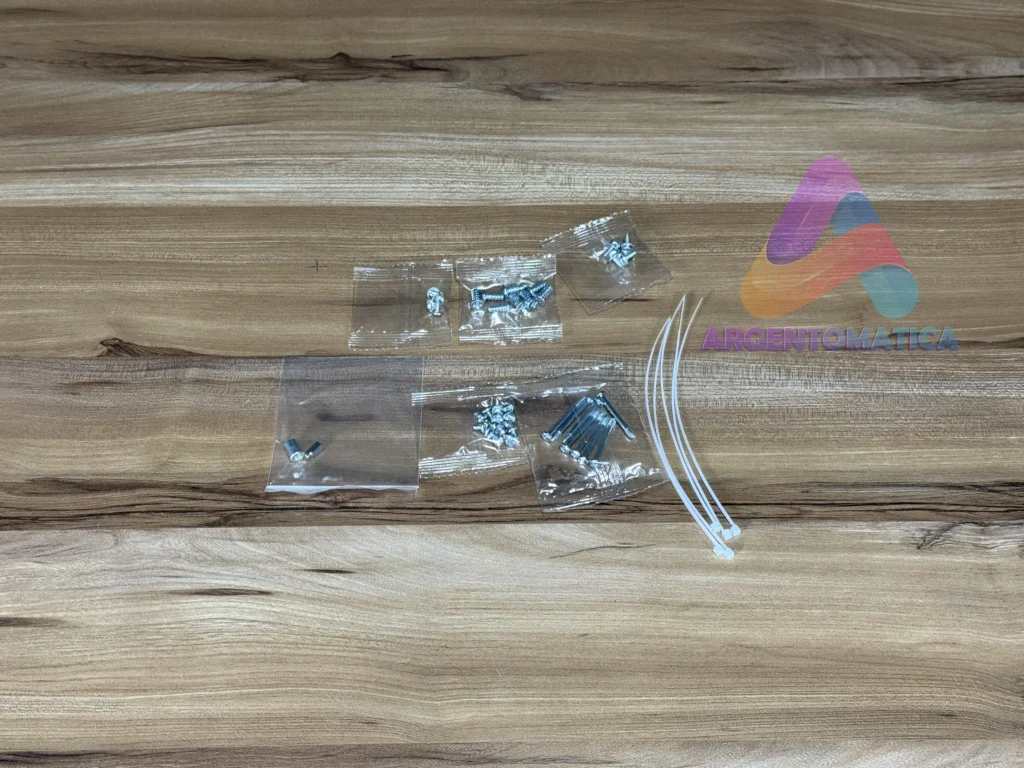
Inside the case, NZXT includes a small white accessory box containing the mounting screws and several cable ties. It is a straightforward package, but it provides the basic hardware needed to start installing the components and organising the cables.
The documentation supplied with my sample indicated that a quick-start guide should be included, but there was no printed guide in my box. I cannot confirm whether this was an omission with the review sample or whether the final retail package will also ship without one. In practice, the build process is intuitive, and NZXT will most likely provide the full manual as a PDF once the product page is live.
Panoramic design and construction quality
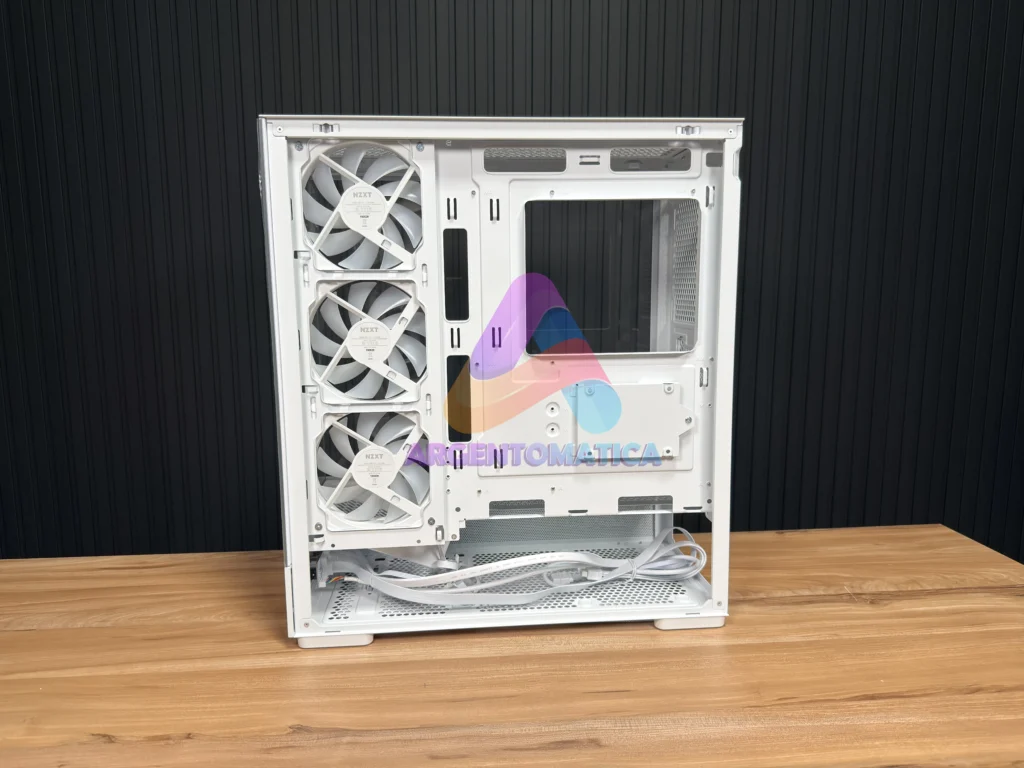
The NZXT S5 RGB will be available in white and black. My review sample is the white version, with tempered glass at the front and on the left side. Together, the two panels create the panoramic look that has become increasingly popular in modern gaming builds.
What surprised me most was the overall finish. The paint is consistent, the joins are clean, and I did not find sharp edges or rough burrs that could make the building process uncomfortable. The chassis also feels reasonably rigid.
That said, the steel is thinner than what NZXT uses in more expensive models such as the H6 or H9. Some cost-cutting was inevitable at this price. Even so, the S5 RGB never felt flimsy or poorly made. You can tell where money has been saved, but not to the point where the case loses its structural confidence.
Panels, tempered glass and dust filters
Both side panels can be removed without tools. A release tab at the back allows each panel to be pulled away from the chassis. The steel panel comes off very easily, while the tempered-glass panel requires a firmer, more deliberate pull.
On the first attempt it may feel as though too much force is being applied, but the glass itself feels robust. I still recommend holding it securely and removing it carefully, especially during the first few openings.
The dust-filtering solution is fairly basic. The magnetic top filter works and the magnet holds it firmly, although this type of filter has never been my favourite because it visually reinforces the budget positioning of a case. There is also a removable bottom filter, while several perforated steel sections in the chassis help with ventilation.
Front I/O and storage
| USB-A | 2 × USB 3.2 Gen 1 |
| USB-C | USB 3.2 Gen 2×2 |
| Audio | Combined headphone and microphone jack |
| Storage | 1 × 2.5-inch drive + 1 × 3.5-inch drive |
Front connectivity
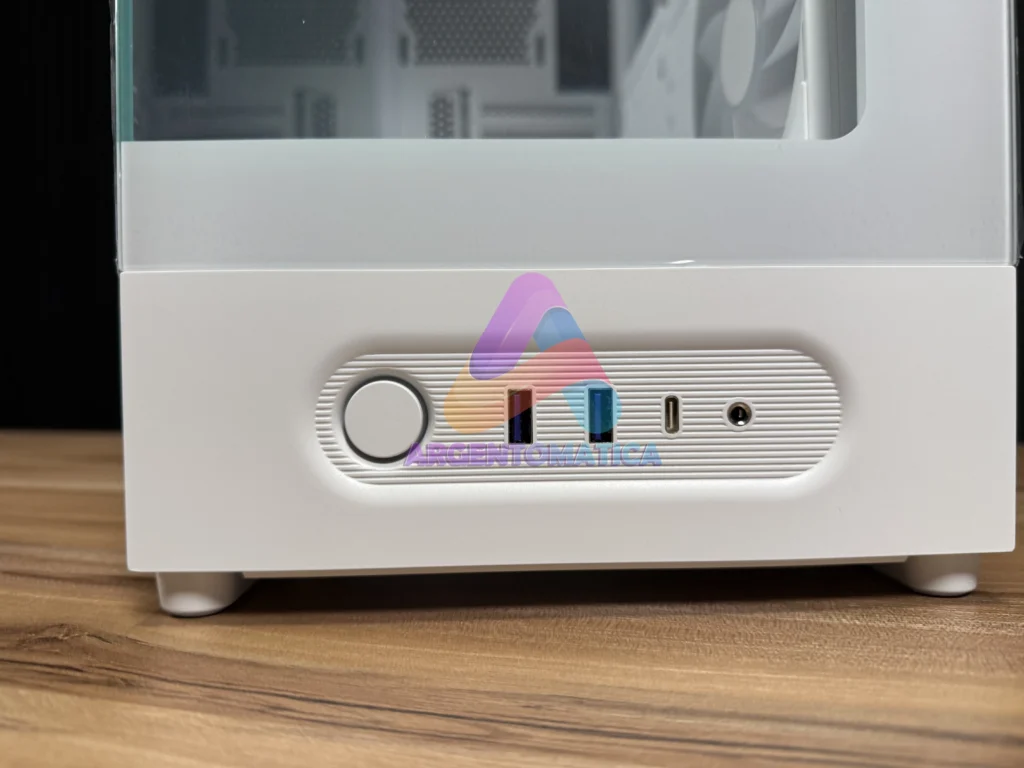
The front I/O includes the power button, two USB-A 3.2 Gen 1 ports, one USB-C 3.2 Gen 2×2 port and a combined headphone and microphone jack. USB-C is a particularly welcome inclusion on a case positioned at this price level.
The controls are conveniently placed when the case is sitting on a desk. When it is positioned on the floor, the relatively low location means you may need to reach down more often.
Motherboard support and internal layout
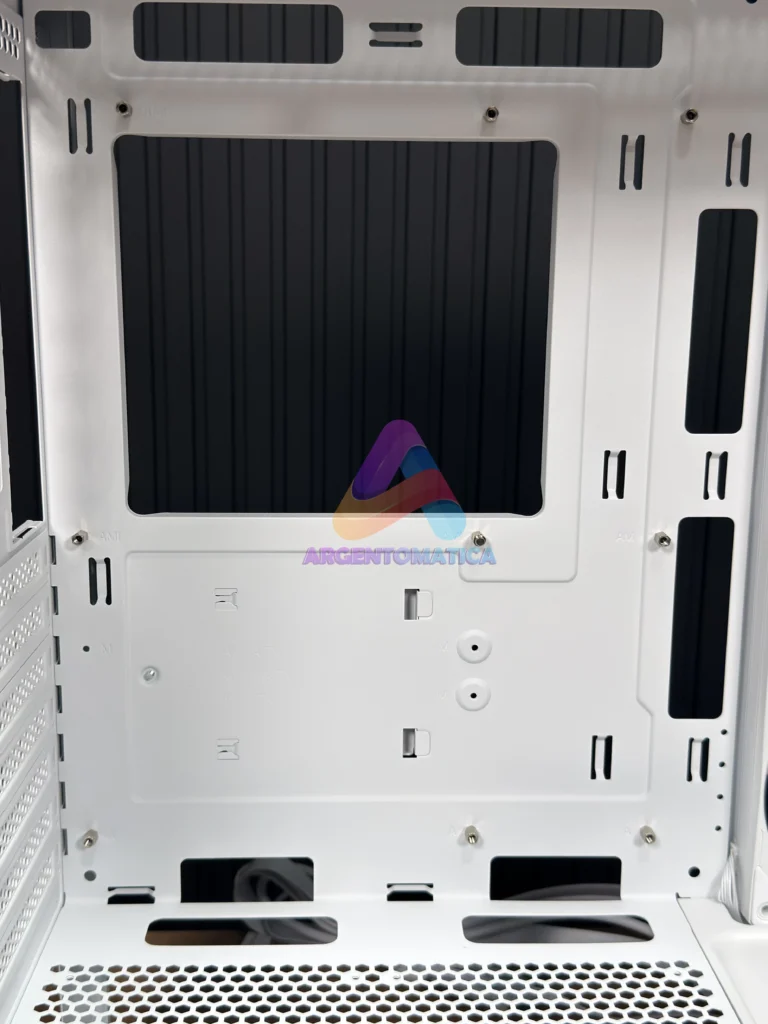
The S5 RGB supports ATX, Micro-ATX and Mini-ITX motherboards. It does not support E-ATX, and the chassis is not designed for rear-connector platforms such as ASUS BTF or MSI Project Zero boards.
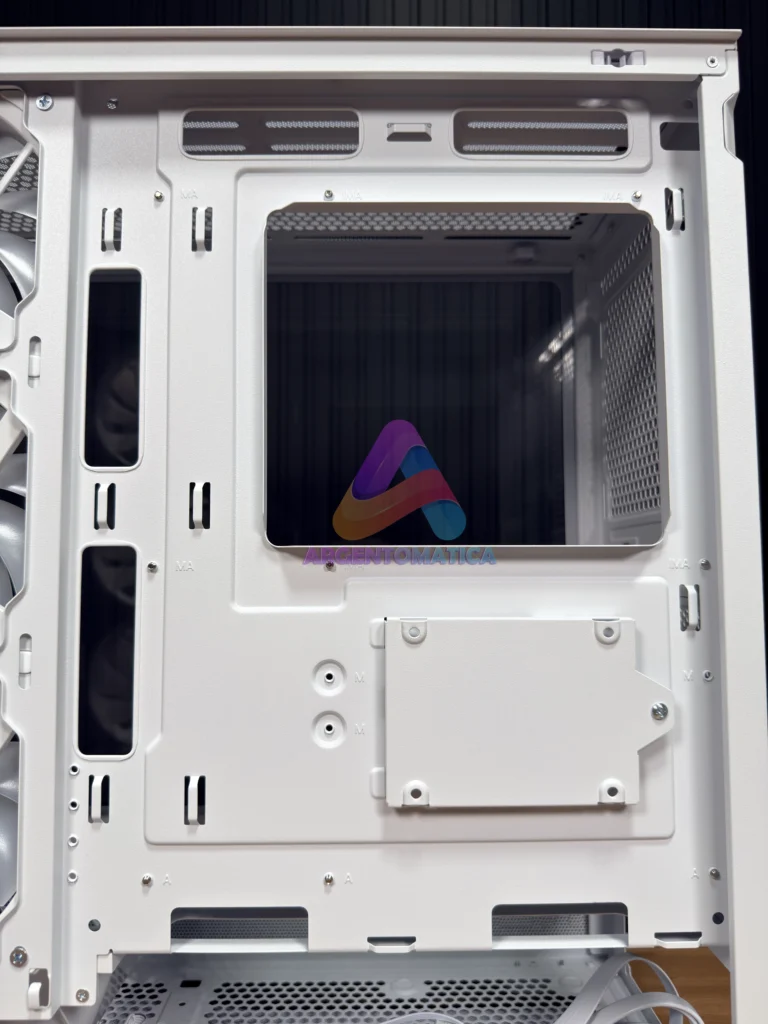
Installing the motherboard was straightforward. The interior is open and uncluttered, with no unnecessary brackets getting in the way. Behind the motherboard tray, NZXT also provides several points for securing power-supply and fan cables.
Power-supply and storage support
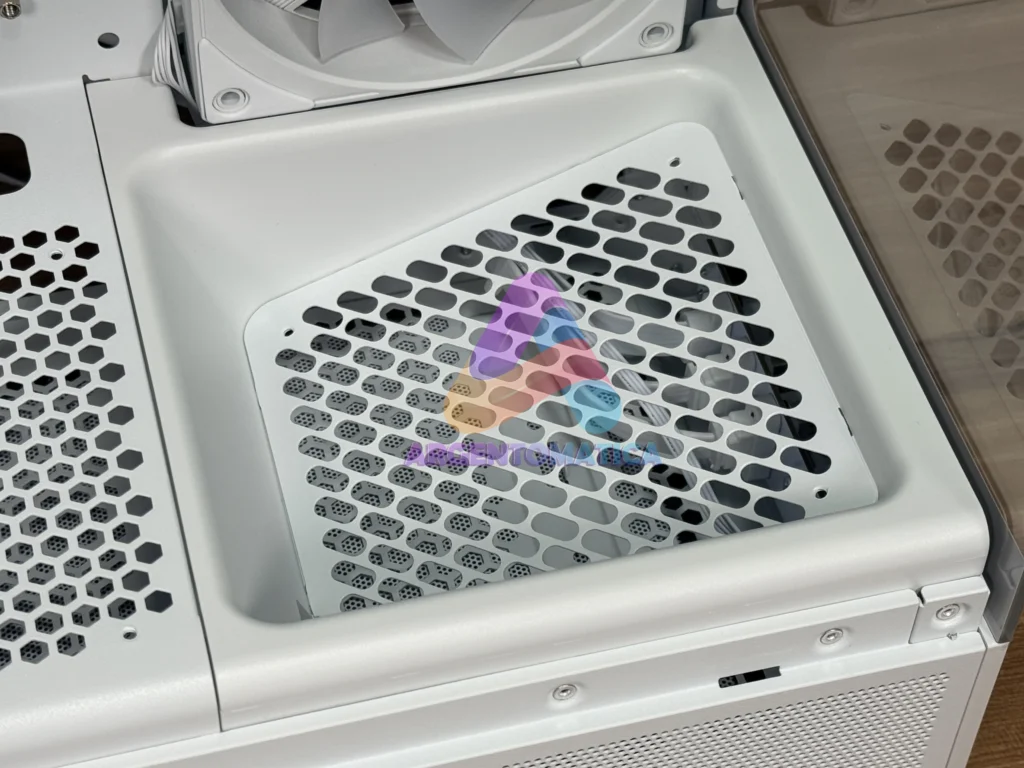
The case supports ATX power supplies up to 200 mm long. Access is simple, and there is a reasonable amount of room for the PSU cables, especially if the build does not rely on a large number of adapters.
Physical storage support is limited. One 2.5-inch drive can be mounted at the rear, while one 3.5-inch hard drive can be installed inside the lower section. For a modern system built mainly around M.2 storage, that may be enough. Anyone who still uses several SATA drives should consider a different chassis.
Fan support
| Included | 3 × 120 mm reverse RGB fans in a single frame |
| Side | 3 × 120 mm |
| Top | 3 × 120 mm or 2 × 140 mm |
| Bottom | 2 × 120 mm + 1 × angled 120 mm GPU intake |
| Rear | 1 × 120 mm |
| Maximum capacity | 10 × 120 mm fans |
Three RGB fans included
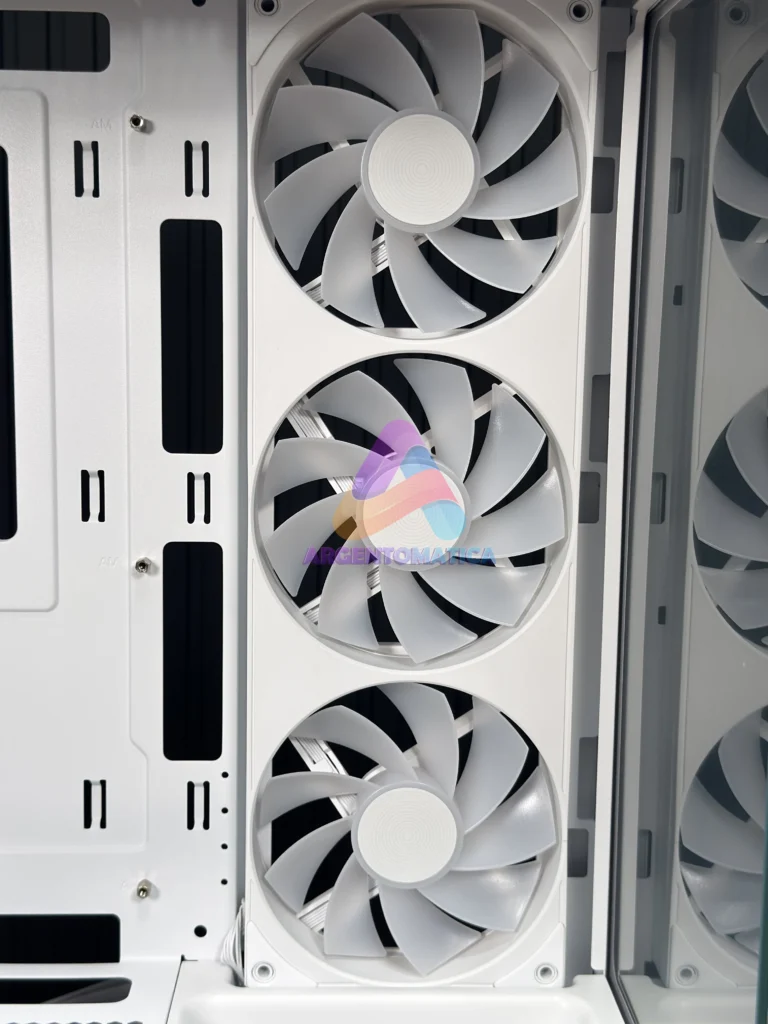
The RGB version includes a 360 mm side-mounted fan unit made up of three integrated 120 mm fans in a single frame. It should not be described as one 360 mm fan, nor as three completely independent units.
They use a reverse-blade design and are configured as intake fans. This means the clean side of the fan remains visible through the glass instead of the rear motor supports. Lighting uses a standard 5 V ARGB connection and can be controlled directly from a compatible motherboard header. NZXT CAM is not required to control the lighting included with the case.
No rear exhaust fan or bottom fans are included. Those positions need to be populated separately if you want to complete the airflow layout.
Fan expansion and the angled GPU intake
The chassis can hold up to ten 120 mm fans. In addition to the three included side fans, there is room for three at the top, two at the bottom, one angled bottom intake and one rear exhaust.
The most interesting position is the angled lower mount. It is designed to direct fresh air toward the graphics card. The concept makes sense visually, although the real benefit will depend on the GPU, fan curve and complete airflow configuration.
There is also one clearance restriction to consider. If the included side fan frame is replaced, the fan in the front-right position should not exceed 26 mm in thickness, otherwise it can interfere with the lower section of the chassis.
Cooling and clearance
| Top radiator | Up to 360 mm |
| Rear radiator | 120 mm |
| Radiator + fans | Up to 53 mm recommended |
| Recommended RAM height with top AIO | Below 52 mm |
| CPU air cooler | Up to 162 mm |
| Graphics card | Up to 415 mm · 7 expansion slots |
Liquid cooling and air-cooler support
The case supports a top-mounted radiator up to 360 mm and a 120 mm rear radiator. To reduce the risk of interference, the combined radiator-and-fan thickness should remain within 53 mm, particularly when taller memory modules are used. NZXT recommends RAM below 52 mm in height for this type of top-mounted configuration.
Although the top panel supports two 140 mm fans, the documentation does not list support for 280 mm or 420 mm radiators.
My 360 mm AIO fitted correctly. At first it may look as though the available space is extremely tight, but there is enough room. I do recommend connecting the motherboard power cables before installing the radiator, because access becomes much more awkward afterwards.
For air cooling, the maximum supported CPU-cooler height is 162 mm. A taller cooler risks touching the tempered-glass side panel.
Graphics-card compatibility
NZXT lists support for graphics cards up to 415 mm long, with seven expansion slots. I tested the case with a large RTX 5080, and it fitted without difficulty. In my configuration, approximately 5.5 cm remained between the card and the front area of the chassis.
This is not a case where a high-end GPU is automatically squeezed into the available space. However, the thickness of any bottom fans and the shape of the graphics-card cooler still need to be checked, because an especially bulky combination could create interference.
Building experience and cable management
Overall, the building process did not present any major problems. It is obviously not as easy to cable as an H6 or H9 with a dual-chamber layout, where excess wiring is much easier to hide.
The S5 RGB provides around 22 mm behind the motherboard tray. That is enough for a normal build, but ten fans, several adapters and an additional controller can quickly turn the rear section into a challenge.
I recommend using fans with a single cable, magnetic interconnection or a daisy-chain system. This significantly reduces cable clutter. Even with ten fans installed, I was able to close the rear panel, although I had to rearrange part of the wiring to avoid excessive pressure.
Airflow and noise
The available layout can create a balanced airflow path: the three side fans bring fresh air into the case, a top-mounted AIO exhausts it, and the system can be completed with a rear exhaust and the angled bottom intake aimed at the GPU.
I did not perform an instrumented noise test, so this section is based on my own listening impressions. The three included fans performed well and, at idle with a sensible fan curve, the complete system was effectively inaudible from a normal seating distance.
A separate smoke test will be used to show how the angled fan changes the visible airflow path. That follow-up will be linked from this article once it is published.
Price and cost-cutting
The recommended EMEA price communicated for this review is €59.90. Final retail pricing will vary by market and retailer, but if the S5 RGB remains close to that figure, it will be a very competitive product.
NZXT has clearly made compromises to reach the target price. The steel is thinner, the dust filters are basic, physical storage is limited and cable management is less convenient than it is in a dual-chamber case.
However, it retains many of the features normally associated with more expensive cases: dual tempered glass, a well-finished paint job, front USB-C, three reverse RGB fans, support for a 360 mm AIO and room for a large graphics card.
What I liked
- Attractive panoramic design.
- Good paint quality and clean finishing.
- Three reverse RGB fans included.
- Front USB-C.
- Support for a 360 mm AIO.
- Up to 415 mm of GPU clearance.
- Capacity for ten fans.
- Competitive recommended price.
What could be improved
- No rear fan included.
- Very basic dust filters.
- Only two physical storage positions.
- More limited cable management than a dual-chamber case.
- No support for rear-connector motherboards.
Conclusion: who is the NZXT S5 RGB for?
I would recommend this case to anyone looking for an affordable panoramic chassis with RGB lighting included and enough room for powerful hardware. It supports a 360 mm AIO, a large graphics card and extensive fan expansion without pushing the starting price too far.
It is not the right choice for users who need several physical drives, rear-connector motherboards, exceptionally clean cable management or the same level of material thickness found in NZXT’s more expensive ranges.
My conclusion is that NZXT has made sensible compromises without removing the character of the product. If the retail price stays close to the recommended figure, the S5 RGB is a compelling entry point into the NZXT ecosystem.
You can watch the full video review below, including the build process and a closer look at every part of the case.


Nice work!