
The NZXT N7 Z890 is one of the most striking motherboards on the market, and it quickly sold out when it launched. In this NZXT N7 Z890 motherboard review, I’ll share all the technical info and my experience with this beautiful motherboard.
Technical specifications
| Specification | Details |
|---|---|
| Socket | LGA 1851 |
| Chipset | Z890 |
| Form Factor | ATX |
| RAM Slots | 4 DIMM DDR5 8000+ MT/s |
| Supported RAM Type | DDR5 |
| Main PCIe Slot (GPU) | 1x PCIe 5.0 x16 |
| Additional PCIe Slots | 1x PCIe 4.0 x16 (running at x2) |
| M.2 / NVMe Slots | 1x M.2 2230 (Wi-Fi/Bluetooth), 1x M.2 2280 PCIe 5.0 x4, 4x M.2 2280 PCIe 4.0 x4 |
| SATA Ports | 4x SATA 6 Gb/s |
| VRM / Power Phases | 20+1+1 phases, 110 A SPS |
| Wired Network | 5GbE Realtek |
| Wi-Fi and Bluetooth | Wi-Fi 7 Tri-Band + Bluetooth 5.4 |
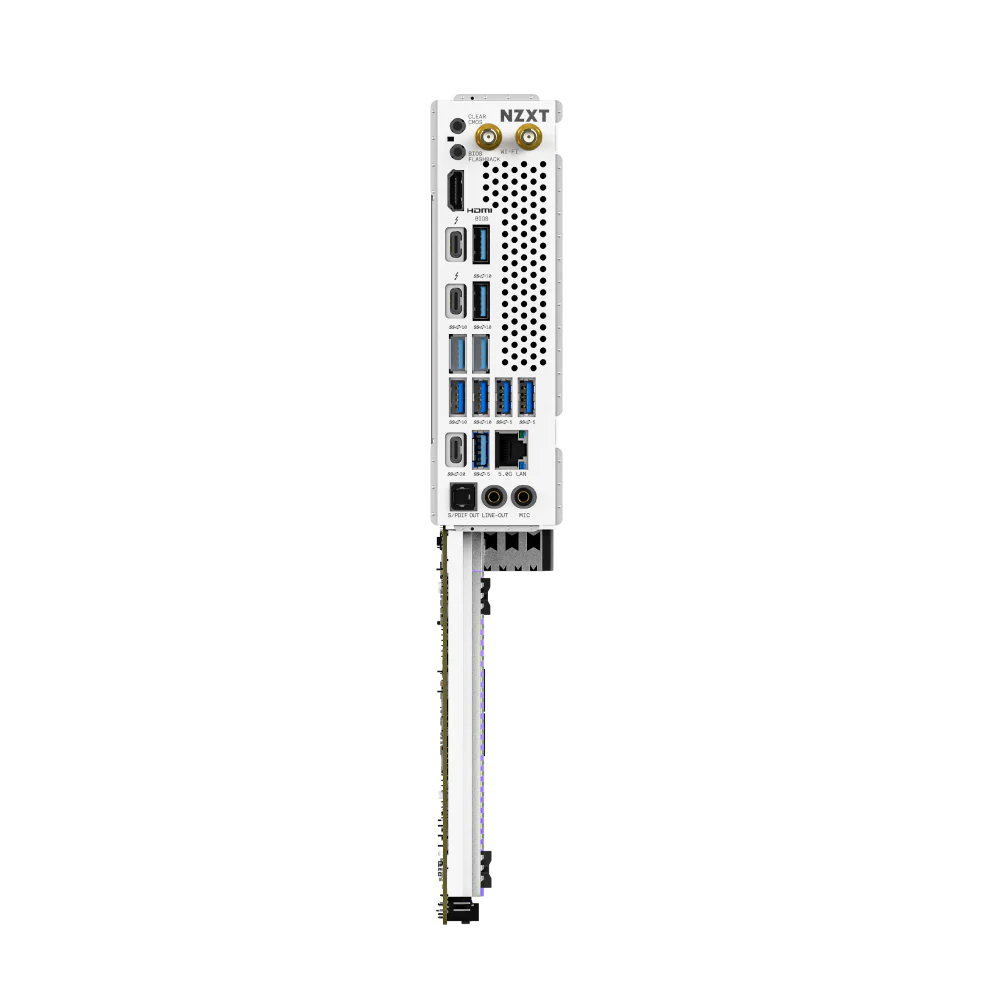
| Rear USB Ports | 2x Thunderbolt 4, 1x USB 3.2 Gen 2×2 Type-C, 6x USB 3.2 Gen 2, 3x USB 3.2 Gen 1 Type-A |
| Front USB Headers | 1x USB-C 20Gbps, 4x USB 3.2 Gen 1 (5Gbps), 4x USB 2.0 |
| Integrated Audio | Realtek ALC4082 |
| Integrated Video Outputs | 1x HDMI |
| RGB Headers | 2x ARGB 5V, 1x NZXT RGB LED |
| Extras / Design | Clear CMOS button, POST diagnostic LEDs, Digital Debug LED, Integrated RGB lighting, Full metal cover |
First Impressions and Design: The NZXT N7 Z890 Motherboard Aesthetic
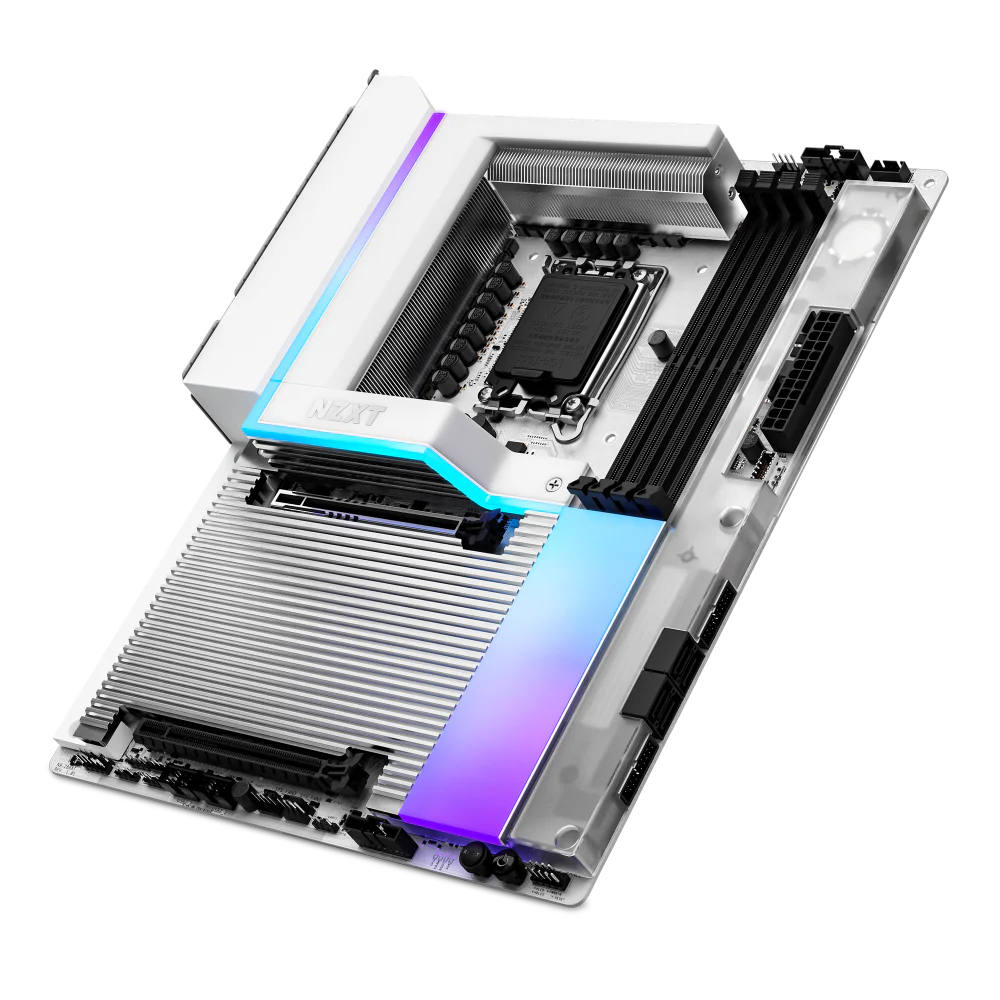
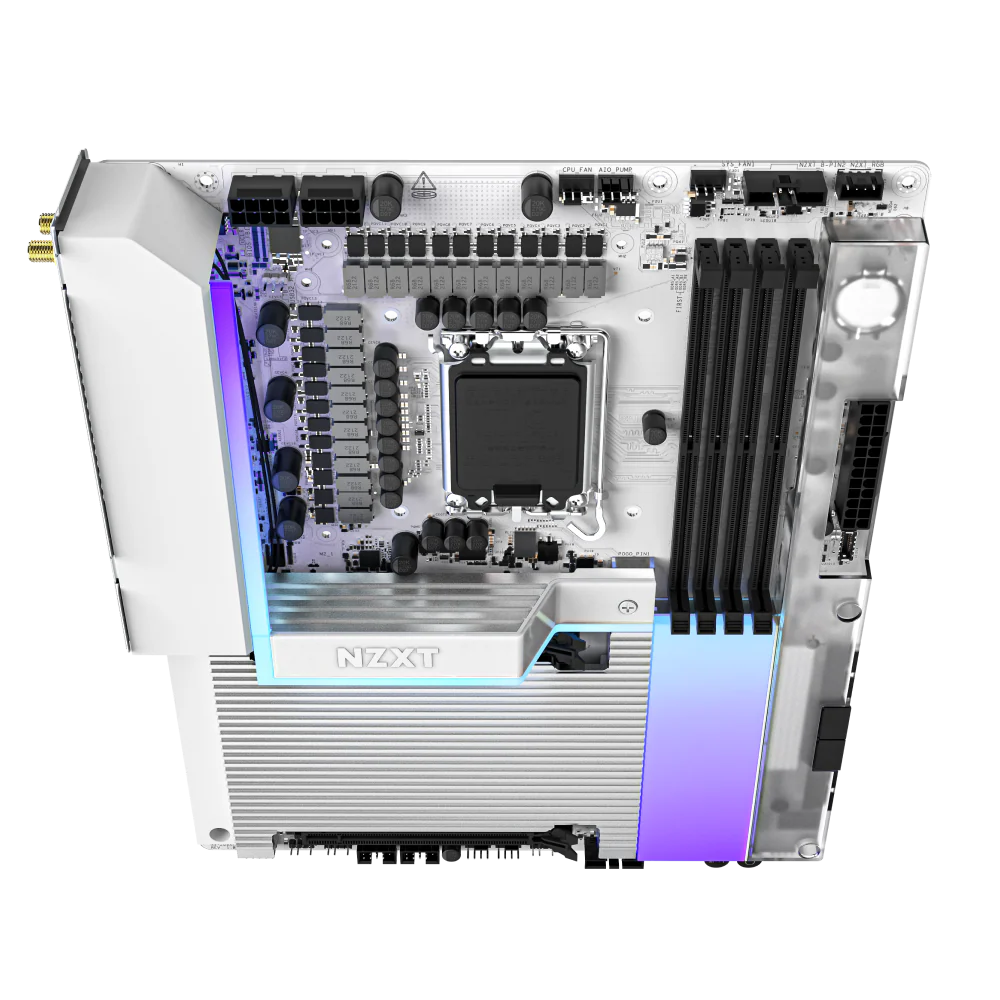
You can’t deny it: the NZXT N7 Z890 motherboard is a looker. Its full metal cover creates a very clean, minimalist aesthetic that stands out in any build. This is a premium board, and its design absolutely reflects that. For me, the integrated RGB lighting on the board itself adds a subtle flair without being over the top. It’s definitely one of the main draws, especially if you’re trying to achieve a specific visual theme with your components.
Connectivity for Your Build
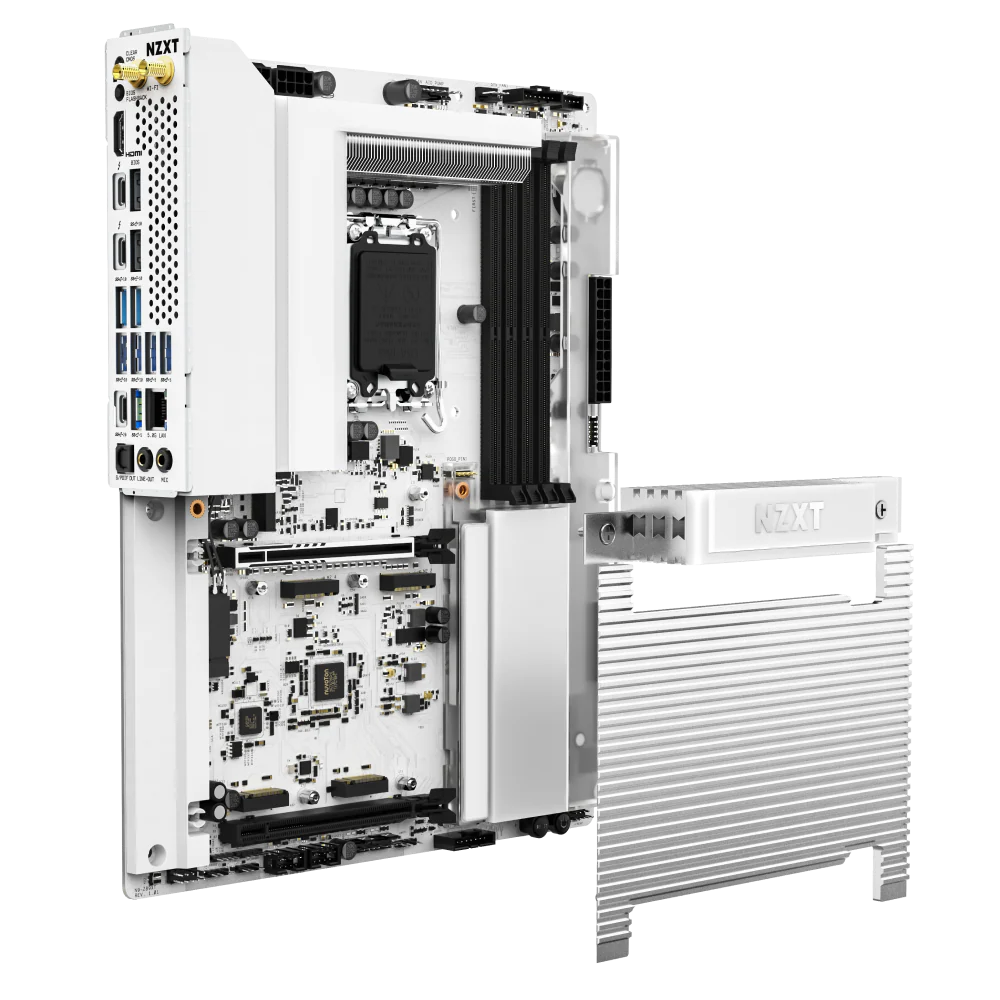
NZXT packed a lot into this board, especially on the connectivity front. You get a whopping five M.2 slots, including a PCIe 5.0 x4 for the fastest NVMe drives, which is great for future-proofing your storage. Around back, two Thunderbolt 4 ports offer incredible bandwidth, alongside a generous array of USB 3.2 Gen 2 and Gen 1 ports. Wireless capabilities are top-notch too, with Wi-Fi 7 Tri-Band and Bluetooth 5.4, meaning your network and peripherals are ready for anything you throw at them. The 5GbE Realtek wired network provides serious speed for those who need it.
Performance and Launch Troubles
While the specs sheet for the NZXT N7 Z890 motherboard is impressive, my initial experience wasn’t completely smooth. This board comes with powerful 20+1+1 phases and 110 A SPS VRMs, designed for stability and high performance, but it had some technical issues at launch. Specifically, the VRM fans failed when I first updated the BIOS. This kind of problem is frustrating when you’ve invested in a premium product, although NZXT did release an update to address it a few weeks later.
Pros and cons
What I liked
- Striking aesthetic design with full metal cover.
- Extensive port selection and modern wireless connectivity.
- Integrated RGB lighting and diagnostic LEDs.
What I didn’t like
- Premium price point of $500.
- Initial technical issues, specifically VRM fan failures.
Verdict: NZXT N7 Z890 motherboard review – Is it worth it?
The NZXT N7 Z890 motherboard review presents a conflicting picture. It’s undeniably beautiful, with a sleek design and comprehensive connectivity that makes it a powerhouse for any high-end PC build. However, its premium $500 price tag and the frustrating technical issues at launch, particularly with VRM fans, temper enthusiasm. While patches arrived, those initial hiccups are hard to overlook for such an expensive component. If you prioritize aesthetics and top-tier features, and don’t mind the cost, it’s a capable board now that the bugs are ironed out, but the rough start lowers its overall value for me.
Frequently asked questions about the N7 Z890
What socket does the NZXT N7 Z890 motherboard use?
The NZXT N7 Z890 motherboard uses the LGA 1851 socket, compatible with Intel’s latest processors.
What RAM does the NZXT N7 Z890 motherboard support?
It supports DDR5 RAM, with 4 DIMM slots capable of speeds up to 8000+ MT/s.
What are the main connectivity features of this board?
Key connectivity includes Wi-Fi 7, Bluetooth 5.4, 5GbE wired network, two Thunderbolt 4 ports, and five M.2 slots (one PCIe 5.0 x4).
Did the NZXT N7 Z890 have launch issues?
Yes, there were initial technical problems reported at launch, including VRM fan failures, which were later resolved with a BIOS update.
Is the NZXT N7 Z890 good for gaming?
With its robust power delivery, PCIe 5.0 support, and extensive connectivity, the NZXT N7 Z890 motherboard is certainly capable for high-end gaming, assuming its initial bugs are resolved.
It’s a very powerful and eye-catching board, but personally I had several performance problems, starting with VRM fans that failed when updating the BIOS. After a few weeks, they released an update that fixed this problem.