
To keep your PC fast over time, a solid maintenance routine can make all the difference. Regular upkeep is key to ensuring your system runs smoothly and efficiently. In this guide, I’ll walk you through a quick 15-minute monthly maintenance routine that can help keep your PC fast.
Why Regular Maintenance Matters
Look, cleaning a PC doesn’t need to take hours. Honestly, when you know what you’re doing, it’s a matter of minutes.
Look, just like you need to change the oil in your car, your PC requires regular maintenance to perform at its best. Over time, files can clutter up your hard drive, and software updates might get neglected. This can slow down your system significantly. Thankfully, a bit of routine care can prevent these issues and keep your machine responsive.
Monthly Maintenance Steps
Here’s a streamlined process that you can follow monthly to keep your PC in optimal shape:
- Disk Cleanup: Use the built-in Disk Cleanup tool to remove unnecessary files. Just type in “Disk Cleanup” in the search bar and follow the prompts.
- System Updates: Make sure your operating system and drivers are up to date. Check for updates in Windows Update settings.
- Antivirus Scan: Run a full system scan with your antivirus software to catch potential threats that could slow your system down.
- Uninstall Unused Programs: Go through your installed programs and remove anything you no longer use.
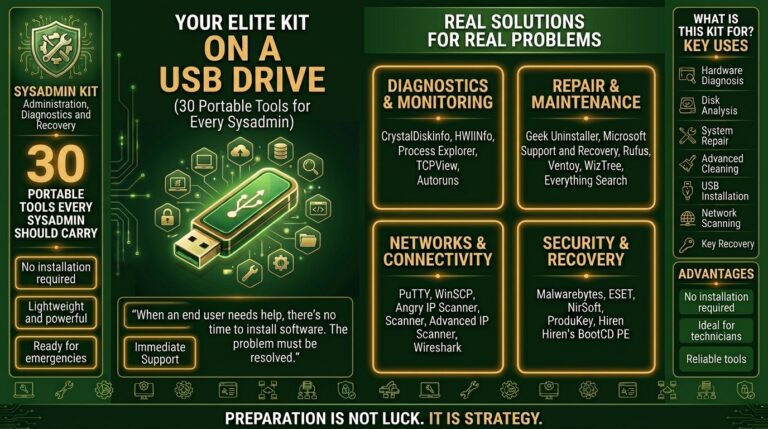
- Check Hard Drive Health: Use tools like CrystalDiskInfo to check your hard drive’s health status.
Optimizing Startup Programs
Another important step is managing your startup programs. Too many applications launching when your PC boots can significantly slow down performance. To manage these:
- Press Ctrl + Shift + Esc to open Task Manager.
- Go to the Startup tab.
- Disable any programs you don’t need at startup.
Storage Maintenance
Keeping your storage organized also contributes to maintaining speed. Regularly deleting large files you don’t need can free up space, which helps your system perform better. I recommend using storage management tools to identify which files are taking up the most space.
Bottom Line: Keep It Up
Maintaining a fast PC doesn’t require hours of effort, just these simple steps every month. While it’s easy to let maintenance slide, sticking to this routine will pay off in the long run. Your system will run smoother and faster, ensuring you can enjoy your gaming and productivity tasks without a hitch.
For a deeper dive into optimizing your PC, check out our guide on optimizing Windows 11 for speed and performance.