
If you’re a sysadmin, you know that when users need help, every second counts. You can’t afford to waste time hunting for software or waiting for installations. That’s where having a portable toolkit comes in handy. In this guide, we’ll cover the essential portable tools every sysadmin should carry on a USB drive for quick diagnostic, repair, and maintenance tasks.
Prerequisites / Before You Start
Honestly, this is where many budget builds get confusing: the spec sheet can look impressive, but real gaming performance depends on the GPU, RAM speed, cooling, and the games you actually play.
If you’re a support technician, a system administrator, or just looking to get a better handle on your PC, these are the tools I personally use daily, and in my experience, they’re genuinely useful.
Before diving into the tools, ensure you have a USB flash drive with enough space to store these applications. It’s also a good idea to keep your tools updated regularly to ensure compatibility with current systems.
- Download Portable Tools: Begin by downloading the following portable tools. Each tool can be run directly from your USB drive without installation.
- CrystalDiskInfo Portable: This tool checks the health of your hard drives and SSDs.
- CrystalDiskMark Portable: Use this to measure the read and write speeds of your drives.
- HWiNFO Portable: Gather comprehensive information about hardware components.
- CPU-Z and GPU-Z Portable: These are essential for identifying your processor, memory, motherboard, and graphics card.
- Process Explorer: Analyze running processes and services.
- Process Monitor: Monitor file system, registry, and process/thread activity in real-time.
- Autoruns: Check what programs are set to run at startup.
- BlueScreenView: Analyze blue screen errors to identify the cause.
- Geek Uninstaller: Quickly remove problematic applications.
- Revo Uninstaller Portable: Another great tool for uninstalling applications thoroughly.
- Display Driver Uninstaller (DDU): Clean out problematic graphics drivers before reinstalling.
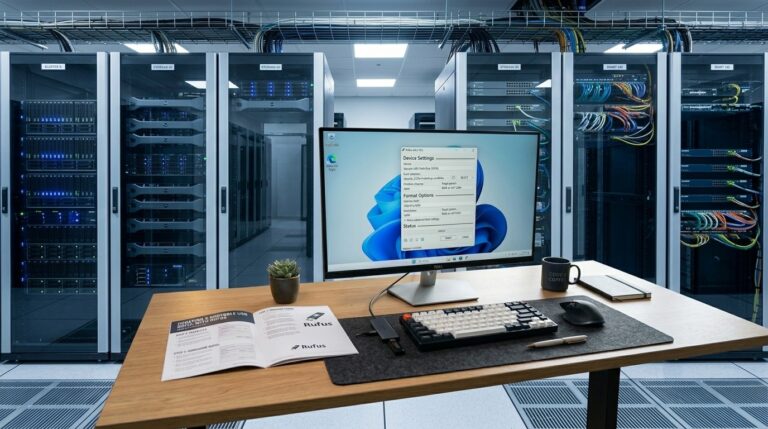
- Rufus Portable: Create bootable USB drives for installations.
- Ventoy: A versatile tool for creating bootable USB drives.
- WizTree: Find out what’s consuming your disk space.
- Everything Search: Instantly locate files on your system.
- PuTTY Portable: For remote connections to servers.
- WinSCP Portable: Secure file transfer between local and remote systems.
- Angry IP Scanner: Scan your network for connected devices.
- Advanced IP Scanner: Another option for network discovery.
- Wireshark Portable: Analyze network traffic in detail.
- Malwarebytes Portable Scanner: Scan for malware infections.
- ESET Online Scanner: Perform additional malware analysis.
- NirSoft Password Recovery Suite: Recover lost credentials when needed.
- ProduKey: Retrieve product keys for Windows and other software.
- Hiren’s BootCD PE: A rescue environment for critical situations.
CrystalDiskInfo Portable
Revisa el estado de salud de discos HDD, SSD y NVMe mediante datos S.M.A.R.T.
Official site ↗CrystalDiskMark Portable
Mide la velocidad de lectura y escritura de discos y unidades USB.
Official site ↗HWiNFO Portable
Muestra información completa del hardware, sensores, temperaturas y voltajes.
Official site ↗GPU-Z Portable
Muestra información detallada de la tarjeta gráfica, memoria, BIOS y sensores.
Official site ↗Process Explorer
Analiza procesos activos con mucho más detalle que el Administrador de tareas.
Official site ↗Revo Uninstaller Portable
Desinstala programas y limpia archivos, carpetas y entradas sobrantes.
Official site ↗DDU — Display Driver Uninstaller
Elimina por completo drivers gráficos de NVIDIA, AMD o Intel antes de reinstalar.
Official site ↗Rufus Portable
Crea USB booteables para instalar Windows, Linux o herramientas de rescate.
Official site ↗PuTTY Portable
Cliente SSH y Telnet para conectarse a servidores, routers o equipos remotos.
Official site ↗WinSCP Portable
Cliente SFTP, SCP, FTP, WebDAV y S3 para transferir archivos de forma segura.
Official site ↗Angry IP Scanner
Escanea rangos de IP para detectar equipos activos y puertos abiertos.
Official site ↗Advanced IP Scanner
Escanea redes LAN y muestra dispositivos conectados, carpetas compartidas y accesos remotos.
Official site ↗Wireshark Portable
Captura y analiza tráfico de red en detalle para diagnosticar problemas o investigar conexiones.
Official site ↗Malwarebytes Portable Scanner / TechBench
Kit portable orientado a técnicos para analizar y limpiar malware en equipos.
Official site ↗ESET Online Scanner
Escáner bajo demanda para detectar y eliminar malware sin instalar una suite completa.
Official site ↗NirSoft Password Recovery Suite
Conjunto de utilidades para recuperar contraseñas guardadas en distintos programas.
Official site ↗Hiren’s BootCD PE
Entorno de rescate basado en Windows PE para reparar, recuperar y diagnosticar equipos.
Official site ↗Why Use Portable Tools?
Portable tools are invaluable because they don’t require installation. You can run them directly from your USB drive, saving you the hassle of setting up software on different machines. This is especially useful when you need to check hard drive health, analyze suspicious processes, or recover lost passwords quickly.
VPN: An Essential Tool for Remote Work
In addition to your toolkit, consider using a VPN for secure remote access. A VPN encrypts your connection, making it safer to work on public networks and allowing you to access company resources securely.
Common VPN Protocols
- OpenVPN: Highly secure and widely used.
- IKEv2/IPSec: Fast and stable, ideal for mobile devices.
- WireGuard: Modern and lightweight with excellent performance.
- L2TP/IPSec: Easy to set up but slower.
- PPTP: Outdated and not recommended due to security issues.
For modern use, WireGuard, OpenVPN, or IKEv2/IPSec are generally the best choices.
Tools mentioned
Microsoft Support and Recovery Assistant / Get Help
Elimina instalaciones problemáticas de Office/Microsoft 365 cuando la desinstalación normal falla.
Sysinternals Suite
Pack oficial de Microsoft con muchas herramientas avanzadas para administración y diagnóstico.
How to Check It Worked
After downloading and running these tools, ensure they function correctly by performing a quick test. For instance, run CrystalDiskInfo to check the health status of a drive, or use Wireshark to capture some network traffic. If they work as expected, you’re ready to tackle any sysadmin challenge that comes your way.
FAQ
What is the advantage of portable tools?
Portable tools allow you to run software without installation, saving time and making them ideal for quick troubleshooting on various machines.
Can I use these tools on any version of Windows?
Yes, these portable tools are designed to work on various versions of Windows, ensuring compatibility across systems.